
Snapchat
Snap Inc
Oct 29, 2012
Jan 13, 2026
285.1 MB
13.75.0.45
5.0
1,000,000,000+

Description
Snapchat is a visual messaging app designed for quick, ephemeral communication. Unlike other social media platforms that focus on building a permanent “feed” or profile, Snapchat is built around the idea that photos and videos (called Snaps) should be temporary, usually disappearing after they are viewed.
Here is a breakdown of what it is and how to get started.
🤳 What is Snapchat?
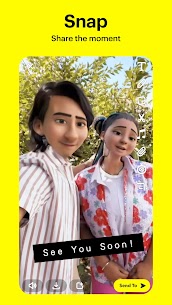
At its core, Snapchat is a camera-first app. It emphasizes “living in the moment” by making most interactions short-lived.
Ephemeral: Most Snaps disappear forever once the recipient opens them.
Visual: It encourages sending a quick photo or video instead of a text message.
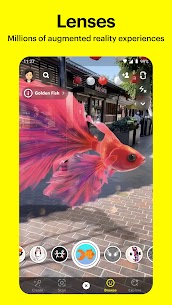
Creative: It popularized “Lenses” (Augmented Reality effects that change your face or surroundings) and “Filters.”
🚀 How to Use It (The Basics)
1. The Five Main Screens
The app is organized into five main sections, which you can access by swiping left or right from the camera:
Map (Far Left): See where your friends are in real-time (if they choose to share their location).
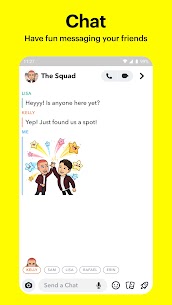
Chat (Left): This is where you message friends and see Snaps they’ve sent you.
Camera (Center): The default screen where you take photos and videos.
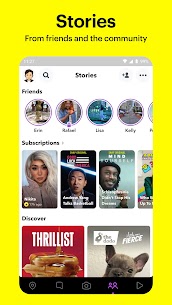
Stories (Right): Watch 24-hour collections of Snaps from your friends and creators.
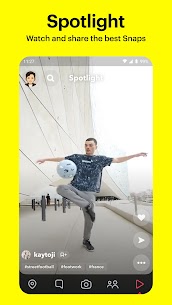
Spotlight (Far Right): A feed of short, viral public videos (similar to TikTok).
2. Sending Your First Snap
Open to Camera: Tap the big circle to take a photo, or hold it down to record a video.
Add Effects: * Tap your face to bring up Lenses (AR masks).
Swipe left or right after taking the Snap to add Filters (color changes, time, or location tags).
Use the icons on the right to add Text, Stickers, or Doodles.
Send: Tap the blue arrow icon. You can send it to specific friends or add it to “My Story” for all your friends to see for 24 hours.
3. Adding Friends
Search: Tap the magnifying glass at the top and type a username.
Quick Add: Snapchat suggests people you might know based on mutual friends.
You can scan a friend’s code with your Snapchat camera to add them instantly.
💡 Key Features to Know
Snap streaks: If you and a friend send each other Snaps every day, a “fire” emoji and a number will appear next to their name, showing how many days you’ve kept the streak alive.
Memories: A private cloud where you can save your favorite Snaps so they don’t disappear.
My AI: An integrated AI chatbot that you can message for advice, gift ideas, or just to chat.
Screenshots: If you take a screenshot of someone’s Snap or Chat, Snapchat will notify the other person.
Safety Tip: By default, your location on the Snap Map is private (“Ghost Mode”). You can choose to share it only with specific friends if you wish.
What's new
Just a little tune-up to keep everything running smoothly! 👻
Images




Most viewed apps
-
 WhatsApp MessengerVaries with device 173.27 MB
 -
 FacebookVaries with device 74.71 MB
 -
Updated
 Snapchat13.75.0.45 285.1 MB
 -
 Facebook LiteVaries with device 2.95 MB
 -
Updated
 WhatsApp Business2.26.1.76 154.43 MB
 -
 Telegram12.3.0 149.33 MB
 -
 TikTokVaries with device 452.96 MB
 -
 MessengerVaries with device 74 MB
 -
 YES 01 instagramVaries with device 112.34 MB
 -
 YouCut – Video Editor & Maker1.702.1215
-
Most rated apps
-
WhatsApp MessengerVaries with device 173.27 MB
-
FacebookVaries with device 74.71 MB
-
YES 01 instagramVaries with device 112.34 MB
-
MessengerVaries with device 74 MB
-
TikTokVaries with device 452.96 MB
-
UpdatedSnapchat13.75.0.45 285.1 MB
-
Facebook LiteVaries with device 2.95 MB
-
UpdatedWhatsApp Business2.26.1.76 154.43 MB
-
Telegram12.3.0 149.33 MB
-
Latest Apps
-
New
 Bubble Bling: Win Real Money1.17.0.0
 -
YouCut – Video Editor & Maker1.702.1215
-
 Picsart AI Photo Editor, Video29.1.6 158.46 MB
 -
UpdatedSnapchat13.75.0.45 285.1 MB
-
UpdatedWhatsApp Business2.26.1.76 154.43 MB
-
TikTokVaries with device 452.96 MB
-
YES 01 instagramVaries with device 112.34 MB
-
 PinterestVaries with device 110.64 MB
 -
MessengerVaries with device 74 MB
-
Facebook LiteVaries with device 2.95 MB
-
FacebookVaries with device 74.71 MB
-